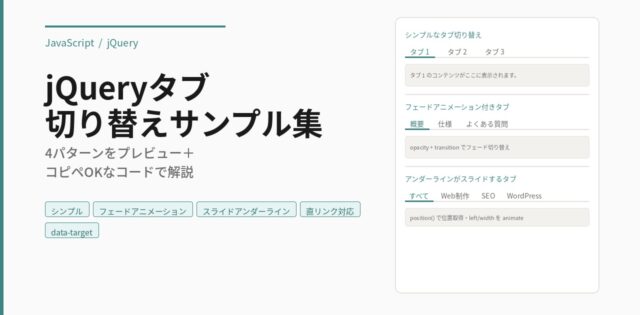
タブクリックで表示するコンテンツを切り替え
※ページにはjQuery本体を読み込んでおく。
HTML
<div class="js-tab-wrap">
    <ul class="tab-group">
        <li class="js-tab-btn">タブ1</li>
        <li class="js-tab-btn">タブ2</li>
    </ul>
    <div class="panel-group">
        <div class="js-tab-contents">コンテンツ1</div>
        <div class="js-tab-contents">コンテンツ2</div>
    </div>
</div>
CSS
/* --- タブ全体のレイアウト --- */
.js-tab-wrap {
    width: 100%;
    margin-bottom: 40px;
}

/* --- タブボタンのスタイル --- */
.tab-group {
    display: flex;
    margin: 0;
    padding: 0;
    border-bottom: 2px solid #eee; /* 下線 */
}

.js-tab-btn {
    cursor: pointer;
    list-style: none;
    padding: 15px 30px;
    font-weight: bold;
    color: #888;
    background-color: #f9f9f9;
    border: 1px solid #eee;
    border-bottom: none;
    margin-right: 5px;
    border-radius: 8px 8px 0 0;
    transition: all 0.3s ease;
}

/* ホバー時の挙動 */
.js-tab-btn:hover {
    background-color: #f0f0f0;
}

/* アクティブ(現在表示中)のタブボタン */
.js-tab-btn.current {
    color: #fff;
    background-color: #333; /* メインカラー(お好みで変更) */
    border-color: #333;
}

/* --- コンテンツエリアのスタイル --- */
.panel-group {
    background-color: #fff;
    border: 1px solid #eee;
    border-top: none; /* タブボタンの下線と繋げる */
    padding: 30px;
}

.js-tab-contents {
    display: none; /* 基本は非表示 */
}

/* アクティブ(現在表示中)のコンテンツ */
.js-tab-contents.current {
    display: block;
    animation: fadeIn 0.5s ease; /* フェードイン演出 */
}

/* フェードインのアニメーション定義 */
@keyframes fadeIn {
    from {
        opacity: 0;
        transform: translateY(10px);
    }
    to {
        opacity: 1;
        transform: translateY(0);
    }
}
JS
jQuery(function($) {
    // 1. 初期設定: 各タブグループの最初の要素をアクティブにする
    // ※HTML側でクラスをつけている場合は不要ですが、JSで制御すると確実です
    $('.js-tab-wrap').each(function() {
        $(this).find('.js-tab-btn').first().addClass('current');
        $(this).find('.js-tab-contents').first().addClass('current');
    });

    // 2. クリックイベント
    $(document).on('click', '.js-tab-btn', function(e) {
        e.preventDefault(); // aタグなどのデフォルト動作を防止

        const $this = $(this);
        const $wrap = $this.closest('.js-tab-wrap'); // 親要素を特定
        const currentClass = 'current';

        // すでにアクティブなら処理しない(無駄な走査を防止)
        if ($this.hasClass(currentClass)) return;

        // ボタンの切り替え
        $wrap.find('.js-tab-btn').removeClass(currentClass);
        $this.addClass(currentClass);

        // コンテンツの切り替え
        const index = $wrap.find('.js-tab-btn').index($this);
        $wrap.find('.js-tab-contents')
            .removeClass(currentClass)
            .eq(index).addClass(currentClass);
    });
});
同じページに複数設置可能です。